
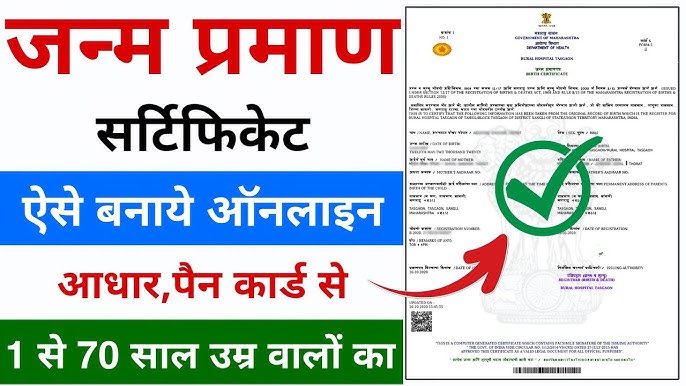
A birth certificate (Janam Praman Patra / जन्म प्रमाण पत्र) is the primary legal document that records a person’s date of birth, place of birth, and parentage. It is issued under the Registration of Births and Deaths (RBD) Act, 1969 (as amended in 2023). Registration is mandatory, and the certificate is essential for school admission, Aadhaar, passport, driving licence, government jobs, marriage registration, and many welfare schemes. For people born on or after 1 October 2023, a birth certificate is generally required as proof of date and place of birth for passports and several other services.
Births must normally be registered within 21 days. Registration within this window is free (or attracts only a nominal fee in some places), and the first certificate is often issued free. Delayed registration is possible but involves extra documents, fees, and sometimes a magistrate’s order.
Who Can Apply for Birth Certificate
- Parents or guardians of a newborn.
- The person themselves (for older registrations or duplicate copies).
- An authorised representative (with proper authorisation).
- Hospitals or institutions usually report institutional births automatically.
Birth Certificate Documents Required
Requirements can vary slightly by state and by whether the registration is timely or delayed. Common documents include:
For registration within 21 days (hospital birth)
- Hospital discharge summary / birth report / Form 4 (or equivalent).
- Parents’ identity proof (Aadhaar preferred; alternatively voter ID, passport, PAN, or driving licence).
- Address proof of parents (Aadhaar, utility bill, ration card, etc.).
- Marriage certificate of parents (often optional but helpful).
For home births
- Declaration by the head of the family or person present at the birth.
- Supporting proof from local authority (Anganwadi/Asha worker, Sarpanch, or ward member) where required.
- Parents’ ID and address proof.
For delayed registration (after 21 days)
- Above documents plus an affidavit explaining the delay.
- For registrations after 1 year: Non-Availability Certificate (NAC) from the local registrar + order from the Executive Magistrate / SDM / District Magistrate, plus additional evidence (school records, vaccination card, etc.).
Always carry self-attested photocopies and originals for verification. Digital copies (PDF/JPEG, usually under 2 MB) are needed for online applications.
How to Apply Online For Birth Certificate (Step-by-Step)
Most states now support online applications through the national Civil Registration System (CRS) portal or state e-district / municipal portals.
- Visit the official portal:
- National CRS: crsorgi.gov.in or dc.crsorgi.gov.in.
- Or your state’s portal (examples below). Use only official .gov.in sites.
- Register / create a citizen account with mobile number and email. Verify via OTP.
- Log in and select “Birth Registration” or “Apply for Birth Certificate.”
- Fill Form 1 (or the online equivalent) with:
- Child’s name (if decided), sex, date and place of birth.
- Parents’ full names, Aadhaar (optional but speeds processing), address, and other details.
- Hospital/institution details if applicable.
- Upload scanned documents.
- Pay the applicable fee online (UPI, card, net banking) if any.
- Submit and note the Application / Acknowledgement / Registration Number.
- Track status on the same portal using the application ID and state. Status typically moves: Submitted → Verified → Approved → Certificate Issued.
- Once approved, download the digitally signed PDF certificate. Many certificates are also available on DigiLocker (search “Birth Certificate” after linking Aadhaar).
Processing time: Often 7–21 days for online applications (faster for timely hospital registrations). Some states offer Tatkal options for extra fees.
Selected state portals (always verify the current official link):
- Delhi: edistrict.delhigovt.nic.in or MCD portals
- Maharashtra: aaplesarkar.mahaonline.gov.in
- Uttar Pradesh: e-district / e-Nagarsewa / esathi.up.nic.in
- Karnataka: Relevant e-services / Kaveri or BBMP portals
- Tamil Nadu: tnreginet.gov.in or state e-services
- West Bengal: wbcrb.gov.in
Many states have migrated or interlinked with the central CRS system. If the national portal does not cover your area, use the state e-district or municipal site.
How to Apply Offline for Birth Certificate
- Visit the local Registrar of Births and Deaths:
- Urban areas → Municipal Corporation / Nagar Nigam / Nagar Palika.
- Rural areas → Gram Panchayat or Block office.
- Collect the birth registration form (Form No. 1 under the RBD Act).
- Fill the form carefully with accurate details.
- Attach self-attested copies of the required documents and produce originals for verification.
- Submit the form to the Registrar and pay any applicable fee. Collect the acknowledgement/receipt.
- After verification (usually 7–15 working days for normal cases), collect the certificate from the same office. Some offices deliver by post or allow later online download.
For hospital births, the hospital often initiates the process and provides guidance or the initial report.
Late Registration and Special Cases
- 22–30 days: Small late fee (often ₹2–₹5 or state-specific).
- 30 days to 1 year: Higher fee + affidavit.
- Beyond 1 year: Non-Availability Certificate from the local registrar + application to the Executive Magistrate/SDM for an order, plus supporting evidence of birth. Processing can take 30–60 days or more.
Duplicate certificates (if the original is lost) usually require an application, affidavit of loss, ID/address proof, and a nominal fee. Apply at the same office or portal where the original was registered.
Corrections (name spelling, parents’ details, etc.) are done via a separate form (often Form 8 or equivalent) with supporting documents and registrar approval.
Fees and Timelines (Approximate – Vary by State)
| Scenario | Typical Fee | Typical Time |
|---|---|---|
| Within 21 days | Free / nominal | 5–15 days |
| 22–30 days | ₹2–₹50 | 7–15 days |
| 30 days–1 year | ₹5–₹200 + late fee | 10–30 days |
| Beyond 1 year (with order) | Higher + order fee | 30–60+ days |
| Duplicate / certified copy | ₹10–₹50 | 7–21 days |
| Digital download (after issue) | Usually free | Instant |
Always check the exact fee on the relevant portal or at the local office. First certified copy after timely registration is free under the Act in most cases.
Birth Certificate Tracking Status and Download
- CRS portal or state portal → Track / Status section → Enter application ID + state.
- DigiLocker (once issued and linked).
- Some municipal portals allow search by name, date of birth, parents’ names, and place.
Important Tips
- Register as early as possible—preferably within 21 days.
- Ensure spellings of names match across all documents (Aadhaar, school records, etc.).
- Keep the registration number and certificate safe (digital + physical).
- Beware of unofficial websites that charge high fees or look similar to government portals. Stick to .gov.in domains.
- For very old records (pre-digital era), a physical visit to the original registration office is often necessary.
- Hospitals are legally required to report births; follow up if they have not done so.
जन्म प्रमाण पत्र कैसे बनाएं (Janam Praman Patra Kaise Banaye) 2026
जन्म प्रमाण पत्र (Birth Certificate) भारत में सबसे महत्वपूर्ण दस्तावेजों में से एक है। यह व्यक्ति की जन्म तिथि, स्थान, माता-पिता के नाम और नागरिकता का आधिकारिक प्रमाण होता है। स्कूल एडमिशन, आधार कार्ड, पासपोर्ट, पैन कार्ड, सरकारी नौकरी, विवाह पंजीकरण, विरासत के मामलों और कई अन्य कार्यों में इसकी आवश्यकता पड़ती है।
रजिस्ट्रेशन ऑफ बर्थ्स एंड डेथ्स एक्ट, 1969 (और 2023 का संशोधन) के तहत हर जन्म का पंजीकरण अनिवार्य है। अब ज्यादातर प्रक्रिया ऑनलाइन हो गई है, जिससे घर बैठे आवेदन संभव है।
जन्म प्रमाण पत्र क्यों जरूरी है?
- कानूनी पहचान और आयु प्रमाण
- शिक्षा, स्वास्थ्य और सरकारी योजनाओं के लिए
- पासपोर्ट और वीजा प्रक्रिया
- संपत्ति और कानूनी अधिकारों के दावे
- डिजिटल भारत में आधार और अन्य दस्तावेजों से लिंकिंग
जन्म पंजीकरण की समय सीमा और शुल्क
| समय सीमा | शुल्क (लगभग) | अतिरिक्त आवश्यकता |
|---|---|---|
| जन्म के 21 दिनों के अंदर | मुफ्त या नाममात्र | सामान्य दस्तावेज |
| 21 से 30 दिन | ₹2–₹5 | सामान्य प्रक्रिया |
| 30 दिन से 1 वर्ष | ₹5–₹50 | शपथ पत्र (Affidavit) |
| 1 वर्ष से अधिक | ₹10–₹500 + अन्य | प्रथम श्रेणी मजिस्ट्रेट का आदेश |
नोट: शुल्क राज्य और स्थानीय निकाय के अनुसार थोड़ा अलग हो सकता है। 21 दिनों के अंदर अस्पताल में जन्म होने पर अस्पताल अक्सर खुद पंजीकरण कर देता है।
आवश्यक दस्तावेज
नए जन्म (21 दिनों के अंदर):
- अस्पताल डिस्चार्ज स्लिप / जन्म रिपोर्ट (Hospital Birth Report)
- माता-पिता का आधार कार्ड या अन्य पहचान प्रमाण (वोटर आईडी, पासपोर्ट आदि)
- पता प्रमाण (बिजली बिल, राशन कार्ड, आधार आदि)
- माता-पिता का विवाह प्रमाण पत्र (यदि उपलब्ध हो)
देरी से पंजीकरण या घर पर जन्म:
- उपरोक्त सभी + शपथ पत्र (₹10–50 स्टाम्प पेपर पर, नोटरीकृत)
- 1 वर्ष से अधिक की देरी पर जिला मजिस्ट्रेट / SDM का आदेश
- स्कूल रिकॉर्ड या अन्य सहायक प्रमाण (यदि उपलब्ध)
ऑनलाइन जन्म प्रमाण पत्र कैसे बनाएं (Step-by-Step)
सरकार का आधिकारिक पोर्टल Civil Registration System (CRS) है।
- पोर्टल पर जाएं
- मुख्य वेबसाइट: https://crsorgi.gov.in या https://dc.crsorgi.gov.in/crs/
- कुछ राज्य अपने e-District पोर्टल का भी इस्तेमाल करते हैं।
- अकाउंट बनाएं / लॉगिन करें
- “Citizen Registration” या “General Public Sign Up” पर क्लिक करें।
- नाम, मोबाइल नंबर, ईमेल और पासवर्ड दर्ज करें।
- OTP से वेरिफाई करें।
- आवेदन फॉर्म भरें
- “Birth Registration” या “Apply for Birth Certificate” चुनें।
- बच्चे का नाम, लिंग, जन्म तिथि, जन्म स्थान, अस्पताल का नाम।
- माता-पिता का पूरा विवरण, पता, आधार नंबर।
- सूचना देने वाले व्यक्ति (Informant) का विवरण।
- दस्तावेज अपलोड करें
- स्कैन की हुई फाइलें (PDF/JPEG, आमतौर पर 2 MB तक) अपलोड करें।
- दस्तावेज स्पष्ट और सही होने चाहिए।
- शुल्क भुगतान और सबमिट
- यदि लागू हो तो ऑनलाइन भुगतान (UPI, कार्ड, नेट बैंकिंग) करें।
- आवेदन सबमिट करें और आवेदन संख्या / रेफरेंस नंबर नोट कर लें।
- स्टेटस चेक और डाउनलोड
- पोर्टल पर “Track Application” से स्टेटस देखें।
- स्वीकृति के बाद डिजिटल साइन किया हुआ प्रमाण पत्र PDF में डाउनलोड करें।
- कई राज्यों में DigiLocker से भी उपलब्ध होता है।
प्रोसेसिंग समय: आमतौर पर 7–21 कार्य दिवस (देरी वाले मामलों में ज्यादा)।
ऑफलाइन प्रक्रिया
- जन्म स्थान के नगर निगम / नगर पालिका / ग्राम पंचायत कार्यालय जाएं।
- जन्म पंजीकरण फॉर्म (Form No. 1) लें और भरें।
- जरूरी दस्तावेज संलग्न करें।
- रजिस्ट्रार ऑफ बर्थ्स एंड डेथ्स के पास जमा करें।
- रसीद लें और निर्धारित समय बाद प्रमाण पत्र प्राप्त करें (7–15 दिन)।
देरी से पंजीकरण (Late Registration)
- 21 दिन बाद: शपथ पत्र + लेट फी।
- 1 वर्ष बाद: जिला मजिस्ट्रेट / SDM से आदेश लें (आमतौर पर वकील के माध्यम से)।
- दो गवाहों के हस्ताक्षर वाली शपथ पत्र अक्सर जरूरी होती है।
नाम सुधार या डुप्लिकेट प्रमाण पत्र
- सुधार के लिए Form 8 या संबंधित फॉर्म भरकर आवेदन करें।
- डुप्लिकेट के लिए: मूल खोने का शपथ पत्र + पहचान प्रमाण लगाकर आवेदन करें।
- ज्यादातर प्रक्रिया अब ऑनलाइन उपलब्ध है।
महत्वपूर्ण टिप्स
- जन्म स्थान के अनुसार पंजीकरण करें (निवास स्थान नहीं)।
- सभी जानकारी सही और एक जैसी रखें (बाद में सुधार मुश्किल हो सकता है)।
- अस्पताल से जन्म रिपोर्ट जरूर लें।
- एजेंट से बचें — सरकारी पोर्टल से खुद करें।
- राज्य-विशिष्ट पोर्टल भी चेक करें (जैसे दिल्ली, महाराष्ट्र, उत्तर प्रदेश के e-District)।
- कोई समस्या हो तो स्थानीय रजिस्ट्रार कार्यालय या हेल्पलाइन से संपर्क करें।
राज्यवार कुछ प्रमुख पोर्टल (उदाहरण)
- केंद्रीय: crsorgi.gov.in
- दिल्ली: edistrict.delhigovt.nic.in
- महाराष्ट्र: aaplesarkar.mahaonline.gov.in
- उत्तर प्रदेश: esathi.up.nic.in
- कर्नाटक, तमिलनाडु आदि के अपने पोर्टल
निष्कर्ष: जन्म प्रमाण पत्र बनवाना अब पहले से कहीं आसान हो गया है। 21 दिनों के अंदर आवेदन करने से शुल्क और झंझट दोनों बचते हैं। घर बैठे ऑनलाइन प्रक्रिया अपनाएं और डिजिटल कॉपी सुरक्षित रखें। किसी भी जटिलता की स्थिति में स्थानीय नगर निगम या पंचायत कार्यालय से मार्गदर्शन लें।
Conclusion
Obtaining a Janam Praman Patra is straightforward if done within the prescribed time, whether online through the CRS or state portals or offline at the local municipal/panchayat office. Timely registration saves money, time, and hassle. For delayed cases, gather the required affidavits and magistrate order early. Once issued, store the digital copy in DigiLocker for easy access.
Procedures and exact portals can be updated by state governments, so always cross-check the latest instructions on the official CRS website (crsorgi.gov.in) or your state’s e-district/municipal portal before applying. If you face delays beyond the stated service timelines, you may use the RTI route for status information.